Turn risk alerts into documented mitigation decisions, from signal to sign-off.
Cases brings alert resolution into Owlin. Turn alerts into cases, work through them with your team, and keep a record of every step and decision. It all sits alongside your risk monitoring, so nothing gets lost in email threads or spreadsheets.
From alert to case
Act on every signal, so nothing slips through the cracks
Why did we add case management to alerts?
Owlin tells you when something changes at one of your third parties. But what happened next often lived outside the platform, in email threads, spreadsheets, or nowhere at all. Teams needed a way to act on a signal in the same place they see it. We also wanted every decision to leave a clear record, so teams can show reviewers and auditors what they decided and why.
What’s new?
Alert to case: add each alert to a new or existing case, or archive it. Your alert overview stays clean, inbox-zero style, and only shows what still needs a decision.
Related matters together: group alerts about the same third party in one case, so you see the full picture.
Impact rating: rate each case’s impact to classify how it might affect your organization.
Cases overview: track every case by its status and open tasks in one place.
How will you benefit?
Full visibility into every alert: nothing gets lost, and you stay on top of every signal
See the full story behind each third party in one place, instead of piecing it together from separate alerts
Know where to focus first, with impact ratings and one overview of every open case
Collaboration and escalation
Decide together, without the email chains
Why did we add collaboration?
Risk decisions rarely sit with one person. An analyst spots the signal, a manager reviews it, and a domain expert may need to weigh in. Without a shared place to work, those handovers happen over email and the context gets scattered.
What’s new?
Tasks: assign tasks to colleagues, with due dates and completion notes.
Leave notes: add notes to alerts, tasks, and open discussions in each case.
A clear process: move every case from Open to Under review, Escalated, and Closed as Mitigated, Accepted, or Dismissed.
Reasons on record: add a note to any status change to explain why.
How will you benefit?
Reach decisions faster, without chasing colleagues over email or in meetings
One consistent process for every case
Clear ownership: everyone sees who is working on what, and the discussion stays with the case
No open loops: every case ends with a recorded outcome and the reason behind it
Audit log
Prove what you did, and when
Why did we add an audit log?
When a reviewer or auditor asks how a risk was handled, the answer has to be clear and complete. Rebuilding it from inboxes and memory takes time and leaves gaps.
What’s new?
Audit log on every case: every action is logged with who did it and when, from alerts added and tasks completed to status changes and their reasons.
Permanent notes: notes can’t be edited or deleted once posted.
Excel export: export any case to Excel, with tabs for the overview, alerts, tasks, discussion, and the activity log.
CSV overview: export the overview of all cases as a CSV.
How will you benefit?
Full traceability from signal to sign-off, with notes that can’t be changed after the fact
All case history in one place, so you never have to rebuild the trail from emails
Less time preparing for reviews and audits: export any case in one click
See Cases in action
Want to learn how Cases can support your team’s risk workflows? Get in touch, and we’ll walk you through it.
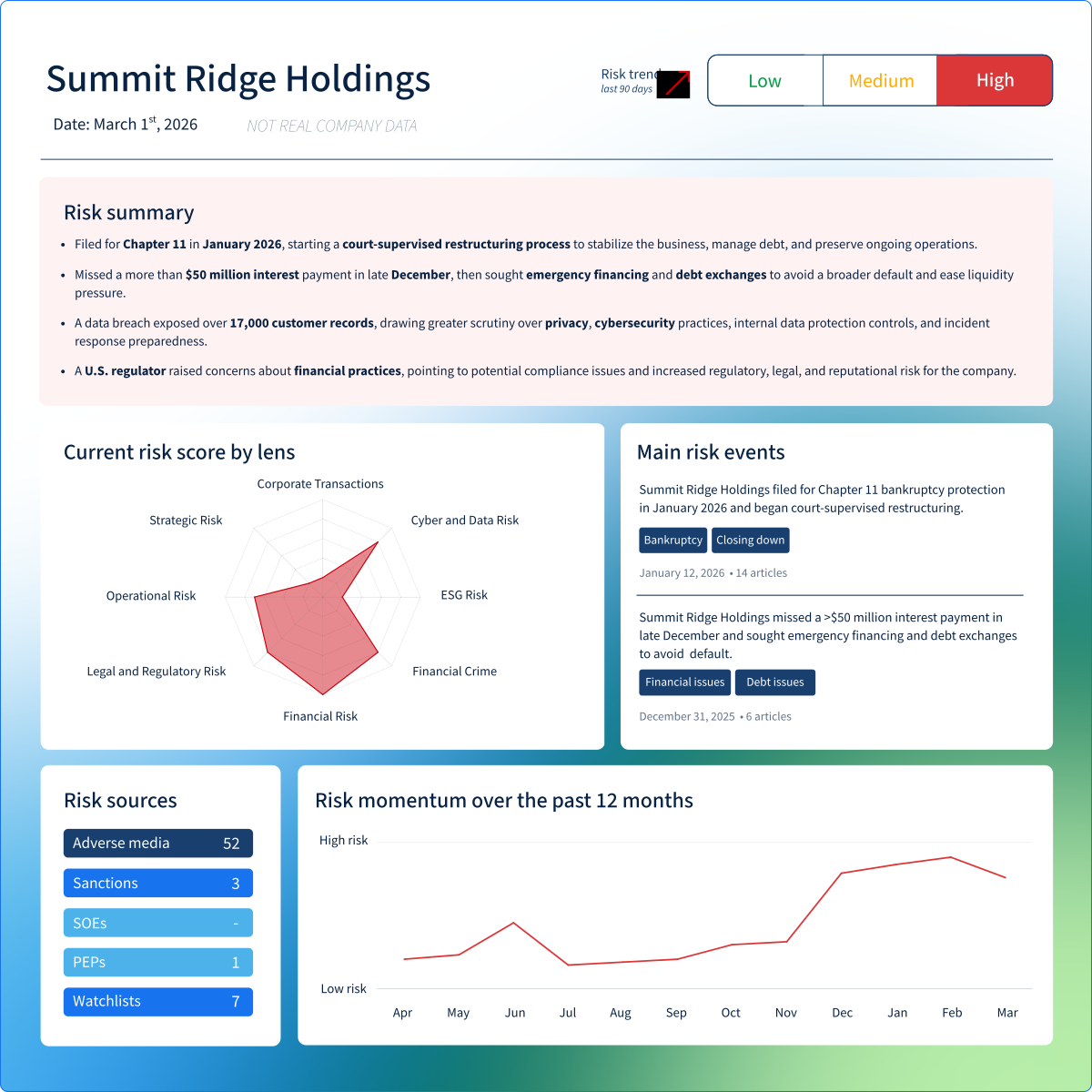
Preview risk exposure for a company you care about, including overall risk score, key risk events, and source-based evidence, and how risk changes over time.